Internet · Updated 19 Nov 2026
Best WiFi Routers in Malaysia 2026: ISP Router, Mesh, WiFi 7 and MiFi
Your ISP already gave you a router. Here's when that's enough, when to add mesh, and what to buy if it isn't, with prices checked this week.
11STREET.MY
INDEPENDENT SHOPPING GUIDE · MALAYSIA
Looking for the best WiFi router Malaysia shops sell right now? Check the box your ISP installed first. Unifi, Maxis, CelcomDigi and TIME now hand out WiFi 6 or WiFi 7 routers with their fibre plans, and for a lot of homes that’s all you need. The money is better spent on coverage, not on a fancier box in the same spot.
Short answer
Keep your ISP's router if it's WiFi 6 or 7 and the signal reaches every room. If one room is weak, add a mesh node: your ISP rents them from RM15 a month, and that's usually the easiest fix. If you want your own router, the TP-Link Archer BE230 (WiFi 7) was RM337 at Harvey Norman. For signal on the move, a 5G MiFi starts at RM599. Prices checked 19 November 2026.
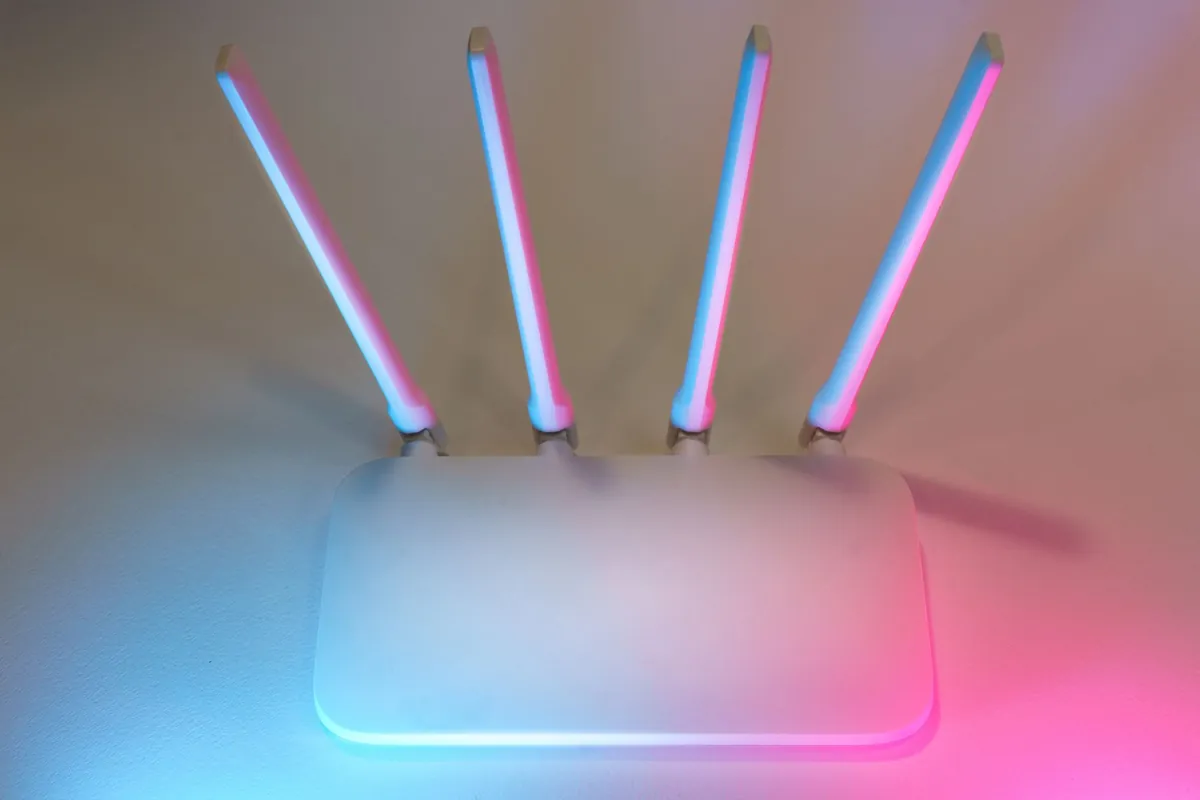
The router your ISP already gave you
Before you buy anything, find out what’s in the box by your front door. Here’s what each big fibre provider supplies on new plans, from their own websites.
| ISP | Router on new plans | Mesh add-on | Worth knowing |
|---|---|---|---|
| Unifi | WiFi 5 (30Mbps), WiFi 6 (100 to 500Mbps), WiFi 7 (1Gbps and 2Gbps) | RM15 to RM20/month, or RM350 to RM380 once | Its mesh only pairs with Unifi’s own combo box |
| Maxis | WiFi 6 on new installs; WiFi 7 on 1Gbps and 2Gbps | WiFi 6 EasyMesh sold by Maxis | 2Gbps is RM319/month with the WiFi 7 router |
| CelcomDigi | WiFi 6 (100Mbps), WiFi 7 (300Mbps and up) | Free node from 500Mbps; RM15 to RM20/month add-on | You keep the router after the contract |
| TIME | WiFi 7 on 600Mbps and 1Gbps | RM399 per unit, or RM19/month | Support can switch its router to bridge mode (reported) |
Checked 19 November 2026 on each ISP’s website. Maxis doesn’t list a mesh price online, and its FAQ and price table don’t fully agree on which plans get WiFi 7, so ask before you sign.
Renting mesh vs paying once
Unifi lets you pay for its mesh units monthly over 24 months or in one go. Paying once is cheaper if you’re staying put.
Example: one Unifi WiFi 7 mesh unit, two ways to pay
Unifi mesh FAQ (October 2025 version) for 1Gbps and 2Gbps plans. Checked 19 Nov 2026.
On the 30Mbps to 800Mbps plans, the WiFi 6 unit is RM15 a month (RM360 over 24 months) or RM350 once, so the gap is only RM10. Unifi doesn’t ask for the unit back when you leave, but quitting early means paying the remaining months. It also sells TP-Link Deco mesh on a 24-month monthly plan, and these work with any router: the Deco BE65 is RM65 a month, which adds up to RM1,560.
ISP router or your own?

The free router is fine for most condos and small homes. Your own router makes sense when you want more control, better range, or a setup that stays the same when you switch ISP.
ISP router
- Free with the plan
- The ISP's mesh add-ons are built to pair with it
- The ISP fixes or swaps it when it fails
- WiFi 7 on faster plans at most ISPs
Your own router
- You pick the range, ports and features
- Stays with you if you change ISP
- Unifi's own mesh units won't pair with it
- You're the helpdesk when something goes wrong
If you go your own way, the usual setup looks like this.
- Match the ports to your plan. On a 2Gbps plan, pick a router with a 2.5G WAN port, or the router becomes the bottleneck.
- Ask your ISP about bridge mode. It turns the ISP box into a plain modem, so your router does the WiFi. Blacktubi reported in 2024 that TIME support can do this remotely.
- Plug in. Run a cable from the ISP box to your router's WAN port.
- Avoid two networks. If the ISP box still has WiFi on, switch it off or give it a different name, so your phone doesn't keep jumping between them.
WiFi 5, 6 and 7 in plain words
The names on the box tell you two things: the generation (WiFi 5, 6, 7) and a speed class (AC1750, AX3000, BE3600). The speed class adds up the top speed of every band, so a BE3600 router is 2,882Mbps on 5GHz plus 688Mbps on 2.4GHz. No single phone ever gets that number.
| Generation | Also written as | What it means for you |
|---|---|---|
| WiFi 5 | 802.11ac, e.g. AC1750 | Older routers, and Unifi’s 30Mbps plan |
| WiFi 6 | 802.11ax, e.g. AX3000 | What most ISPs give on 100 to 500Mbps plans |
| WiFi 6E | WiFi 6 plus the 6GHz band | MCMC opened 5925 to 6425MHz for WiFi in 2022 |
| WiFi 7 | 802.11be, e.g. BE3600, BE11000 | Faster on 1Gbps plans, if your devices support it |
WiFi 7’s headline tricks are wider 320MHz channels and Multi-Link Operation (MLO), which lets a phone use two bands at once. The catch: cheaper dual-band WiFi 7 routers (the BE3600 class) don’t have the 6GHz band, and 320MHz channels need 6GHz. You still get MLO across 2.4GHz and 5GHz. For most families on a 300Mbps or 500Mbps plan, WiFi 6 is plenty.
Condo or landed: one router or mesh?

Condos and apartments. The fibre point is often by the front door or in the living room, so the router ends up there too. One router covers most units if it’s near the middle. If the far bedroom struggles, one mesh node in the corridor usually fixes it. A stronger router in the same corner won’t help much, because walls are the problem, not the router.
Landed homes. Double-storey terraces, corner lots and semi-Ds almost always need a node upstairs. Put the main router on the ground floor where the fibre comes in, and the node on the first floor, roughly above it with a clear line along the stairwell. If you can run a cable between floors, a wired node is faster and steadier than a wireless one.
Big houses. Unifi sells Fibre-to-the-Room (FTTR), which runs fibre to each room: RM249 a month for 1Gbps on a 24-month contract, with extra room hubs at RM850 each or RM40 a month.
The best WiFi routers in Malaysia by need
We haven’t tested these routers ourselves. The picks weigh published specs, Malaysian prices and how well they fit the ISP boxes above.
Best value WiFi 7
TP-Link Archer BE230
RM337
- Good for: condos on plans up to 2Gbps, with two 2.5G ports
- Skip if: you want the 6GHz band
ASUS app fans
ASUS RT-BE50
RM429
- Good for: adding a second ASUS unit later with AiMesh
- Skip if: you need wired speeds above 1Gbps (its LAN ports are gigabit)
Our pick for landed
Your ISP's mesh node
from RM15/month
- Good for: double-storey homes already on a WiFi 6 or 7 ISP box
- Skip if: you've replaced the ISP router with your own
Big houses
TP-Link Deco BE65
RM65/month
- Good for: tri-band WiFi 7 with 6GHz, paid monthly through Unifi
- Skip if: you're with CelcomDigi (its router doesn't pair with Deco)
Prices checked 19 Nov 2026: Archer BE230 at Harvey Norman Malaysia, RT-BE50 at ALL IT Hypermarket, mesh from Unifi and CelcomDigi. They change often, so check before you buy.
The Archer BE230 was RM337 at Harvey Norman (marked down from RM469), RM359 at ALL IT Hypermarket and RM399 at PC Image on the same day, so shop around. Buying the Deco BE65 outright instead of paying monthly? ProductNation reported Shopee listings from RM1,342.90 on 2 November 2026. Its cheaper sibling, the dual-band Deco BE22, was reported at RM473.90.
Here’s how retail prices stack up as you go up the WiFi 7 range.
The RM2,599 gaming router is for people with 10G wiring and a lot of devices. For a normal home, the money is better spent on a second unit than on a bigger first one.
Portable 4G and 5G MiFi

A MiFi is a pocket router that takes a SIM card and shares mobile data over WiFi. It’s handy for outstation work, a rented homestay or a backup when the fibre goes down. Your phone’s hotspot does the same job for an hour or two; a MiFi earns its place when you need it every day or for several laptops.
MiFi prices in Malaysia
Retailer prices checked 19 November 2026; the ZTE price is from SoyaCincau (February 2026) and the Acer from Lowyat.NET’s launch report (November 2025). The Yes deal locks the MiFi to Yes and its 5G falls back to 4G with a 500GB monthly cap outside 5G coverage. If you only need backup at home, CelcomDigi Fibre’s Home Backup add-on (a 4G dongle and data SIM) is RM9 a month. Travelling and staying in hotels? A travel router such as the ASUS RT-BE58 Go (RM709) shares one hotel connection with all your devices, but it doesn’t take a SIM.
The MCMC label: check it before you pay
Every router and MiFi sold in Malaysia must be certified under the Communications and Multimedia (Technical Standards) Regulations 2000. Uncertified gear can interfere with other networks, and MCMC said in 2018 that using, owning or intending to sell it can mean a fine of up to RM100,000, up to six months in jail, or both. Blacktubi reported in December 2025 that MCMC and the police seized 3,837 uncertified devices worth over RM500,000 in one operation.
What to look for on a router
- MCMC labelPrinted, engraved or embossed on the casing of the device
- E-labelSince 2015, some devices show the label in their settings menu instead
- Serial numberKey it into MCMC's Check Your Label service to confirm the certificate
- Local warrantyTP-Link Malaysia gives the Archer BE230 three years, per ALL IT Hypermarket's listing
A sticker alone proves little, since labels can be copied. The serial number check is what counts. Cheap overseas listings are where uncertified routers turn up most, so read our guide to spotting fake sellers and run the numbers on the import tax calculator before you order from abroad.
Where to buy, and when it’s cheapest
Big retailers (Harvey Norman, ALL IT Hypermarket, PC Image) and brands’ official stores on Shopee and Lazada are the safe choices. TP-Link also opened its first Malaysian flagship store at Mid Valley Megamall in May 2026.
Screenshot this: before you pay
- MCMC label on the casing or in settings, and a serial number you can check
- Malaysian warranty, not "import set"
- WAN port fast enough for your plan (2.5G for 2Gbps)
- Your ISP's mesh will pair with it, or you don't need it to
- Monthly rental x 24 compared with buying outright
- For MiFi: SIM lock and contract length
Router prices move with the big sale days: Black Friday falls on 27 November and 12.12 is next month, and the Archer BE230 was already RM132 below its listed price at Harvey Norman. ISPs run their own promos too: Unifi was offering three months free and CelcomDigi a limited-time free three months of fibre when we checked. Keep our sale calendar handy, and if you’re upgrading the whole home office, see our laptop guide.
Still using an old one?
If an old 11street link brought you here, you were probably looking at one of these.
- TP-Link 3G/4G portable MiFi. Old MiFi models were built for 3G and early 4G. Today a 4G pocket router like the TP-Link M7000 is RM229, and 5G models start at RM599. Check the battery: a swollen one is a reason to stop using it.
- TP-Link AC1750 and D-Link AC1750 routers. These are WiFi 5. If yours still works, it can live on as extra coverage behind the ISP box, but on a 300Mbps or faster plan the free WiFi 6 or 7 router your ISP supplies will usually do better.
- D-Link DSL-2750E ADSL modem routers. These were made for ADSL over a copper phone line, not fibre. On fibre, the ISP’s box is the modem, so an ADSL modem router has no job left as a modem.
- Audra security devices and other smart home gadgets. Many smart home gadgets connect on the 2.4GHz band, so keep it switched on when you upgrade, and give the new network the same name and password to save resetting every device.
- Synology, WD, SanDisk and TP-Link storage and networking. A NAS or network drive works best on a cable. A router with 2.5G ports, like the Archer BE230, lets a fast NAS stretch its legs, and backups over WiFi are slower than over a wire.
Start with the box you already have, fix coverage before speed, and check the MCMC label before anything new goes in the cart.
Frequently asked questions
Do I need to buy my own router if I have Unifi?
Usually not. Unifi lists a WiFi 6 Combo Box on its 100Mbps to 500Mbps plans and a WiFi 7 Combo Box on 1Gbps and 2Gbps. Buy your own only if coverage is the problem and you don't want Unifi's mesh add-on. Note that Unifi's own mesh units only pair with its combo box, so they aren't sold to customers who use their own router.
Is a WiFi 7 router worth it in Malaysia?
Only if your phones and laptops support WiFi 7 and you're on a fast plan. Many ISPs now include a WiFi 7 router for free on faster plans: CelcomDigi from 300Mbps, Unifi on 1Gbps and 2Gbps, and TIME on 600Mbps and 1Gbps. If you have to buy one, the TP-Link Archer BE230 was RM337 at Harvey Norman when we checked on 19 November 2026.
Mesh or a single router for a condo?
A single router placed near the middle of the unit covers most condos. Add one mesh node if the fibre point (and the ISP box) sits by the front door and the far bedroom has weak signal. Landed double-storey homes usually need a node upstairs.
How much does mesh WiFi cost from my ISP?
When we checked on 19 November 2026: Unifi charges RM15 or RM20 a month for 24 months, or RM350 to RM380 one-off, depending on your plan. CelcomDigi charges RM15 to RM20 a month and includes a free node on 500Mbps plans and up. TIME charges RM399 per WiFi 7 mesh unit, or RM19 a month per unit over 24 months.
How do I check if a router is MCMC certified?
Look for the MCMC certification label on the casing, or an e-label in the device's settings. Then check the serial number with MCMC's Check Your Label service. Stickers can be faked, so the database check is the one that counts.
What's the cheapest 5G MiFi in Malaysia?
Of the ones we found, the ZTE U30 Air has an RRP of RM599 and comes free with Yes's RM58-a-month 5G Mobile WiFi plan on a 24-month contract (locked to Yes). The Acer Connect M6E retails for RM999 and takes your own SIM or eSIM. 4G pocket routers start from RM145.
Can I still use my old router with fibre?
Usually, yes, if it's a WiFi router with an Ethernet WAN port: plug it into the ISP box's LAN port or ask your ISP about bridge mode. An ADSL modem router like the D-Link DSL-2750E is different: it was made for a copper phone line and can't plug into a fibre box as a modem.
Sources
- Unifi: fibre broadband plans and routers (checked 19 Nov 2026)
- Unifi: FAQ for Mesh Wi-Fi 7, Wi-Fi 6 and TP-Link (October 2025)
- Unifi: Fibre-to-the-Room (FTTR) (checked 19 Nov 2026)
- Maxis: Home Fibre plans FAQ (checked 19 Nov 2026)
- CelcomDigi: Home Fibre plans with WiFi 7 (checked 19 Nov 2026)
- CelcomDigi: New WiFi 7 Router FAQ (checked 19 Nov 2026)
- CelcomDigi: Fibre Mesh Add-On FAQ (checked 19 Nov 2026)
- TIME: OmniMesh WiFi 7 mesh and router (checked 19 Nov 2026)
- Blacktubi: TIME Fibre now comes with WiFi 7 routers (8 Aug 2024)
- Harvey Norman Malaysia: TP-Link Archer BE230 listing (checked 19 Nov 2026)
- ALL IT Hypermarket: home routers listings (checked 19 Nov 2026)
- Blacktubi: ASUS RT-BE50 review (13 Mar 2026)
- ProductNation: best mesh WiFi in Malaysia, Shopee prices checked 2 Nov 2026
- SoyaCincau: Yes 5G Mobile WiFi with ZTE U30 Air for RM58/month (23 Feb 2026)
- Lowyat.NET: Acer Connect M6E 5G Mobile Wi-Fi for RM999 (15 Nov 2025)
- Malay Mail: How to make sure your devices are genuine and safe (15 Jul 2016)
- SoyaCincau: Communications devices must be certified, reminds MCMC (25 Dec 2018)
- Blacktubi: Is your device MCMC certified? (12 Dec 2025)
- Eleos Compliance: SIRIM announcement on the 5925 to 6425 MHz band (7 Feb 2022)
11street.my is an independent guide. We are not affiliated with Shopee, Lazada, TikTok Shop, Taobao, Pinduoduo or any other platform, nor with the former 11street Malaysia marketplace.